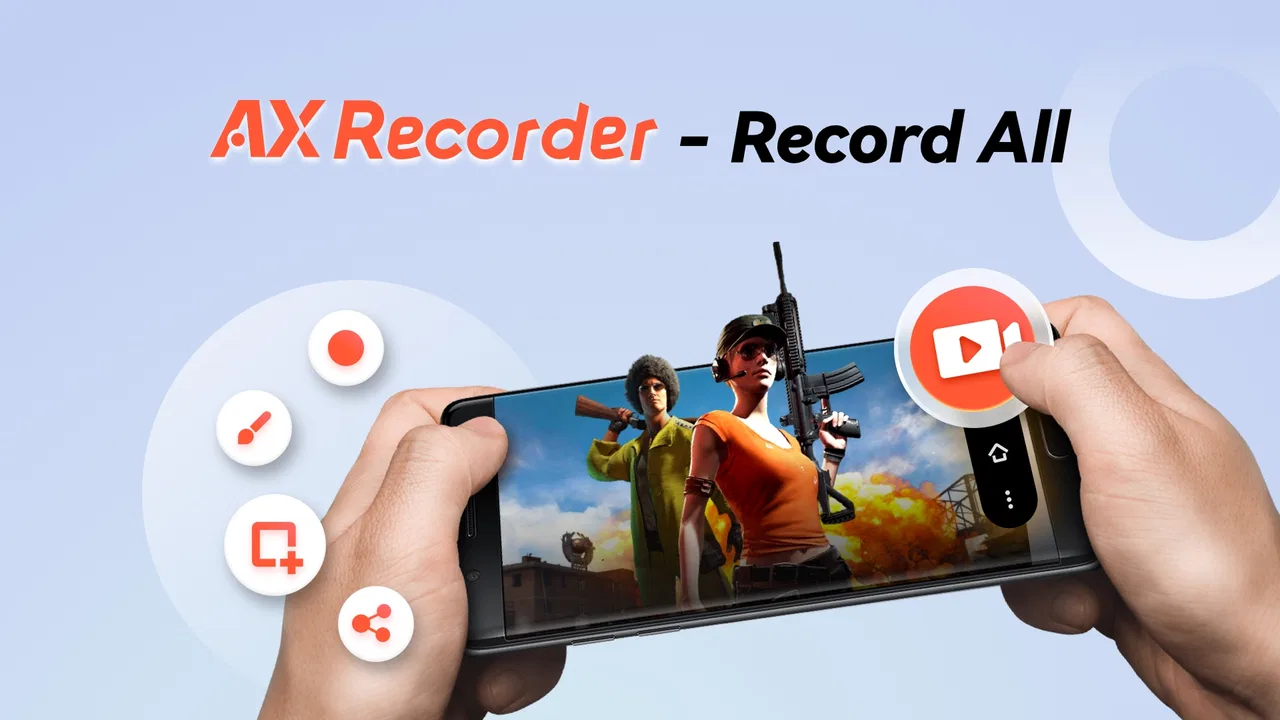
Screen Recorder - AX Recorder
- 4.5
- Rating
- 10.00M
- Installs
- Free
- Price

 Analysis by App-foxy
I usually judge a screen recorder twice: once during the first excited session, and again after the novelty has worn off. A tool can look impressive when I am testing every button, yet become useless if recording takes too many taps, video files are awkward to manage, or the free experience constantly interrupts the task. Screen Recorder - AX Recorder makes a good first impression because it focuses on a familiar need: capturing what is happening on an Android screen, including gameplay, demonstrations, and still screenshots.
It is a free app in the video players and editors category, developed by Video Recorder & Photo Collage. Its audience is broad, since it carries an Everyone age rating and works on devices running Android 6.0 or later. I also found its positioning easy to understand: this is not trying to be a complete editing studio or a social network. It is meant to sit close to the recording action and help you preserve something on your display.
My overall view is that AX Recorder earns a place for people who record their phones regularly, but not necessarily for someone who only needs one quick clip. The difference comes down to routine. If you make tutorials, save game moments, explain app problems, or capture visual instructions for other people, the convenience can become part of your daily workflow. If recording is an occasional emergency, the built-in Android recorder may already be enough.
You May Also Like

 Blood Strike: 2.5 Anniversary
Blood Strike’s Loadouts Turn Every Drop Into a Tactical Gamble
A close look at Blood Strike’s custom loadouts: how fast access to signature weapons reshapes its battle royale rhythm, rewards preparation, and narrows the gap between fights.

 Pandora - Music & Podcasts
Pandora’s Music Is Easy to Start, but Harder to Recover
Pandora’s strength is its low-effort path from a seed to a station. Its weak spot is how much confidence it asks you to place in connection, setup, and quiet recovery.

 8 Ball Pool
 Is Built on Rivalries, Rematches, and Routine
A close look at the rivalries, rematches, shared routines, and unanswered safety questions that turn a quick pool match into a persistent mobile community.

 Samsung Music
’s Quiet Strength Is Playing What You Already Own
Its reach comes less from spectacle than from dependable access to a personal library. That simplicity is both the app’s strongest retention engine and its ceiling.

 AccuWeather: Weather Radar
AccuWeather Review: A Quick, Clear Forecast for Everyday Decisions
For everyday plans, the best forecast is the one you can understand quickly. AccuWeather makes rain timing, radar, and local conditions easy to act on, with a few trade-offs.

 Hill Climb Racing
Why Hill Climb Racing Still Turns Crashes Into One More Run
A tiny car, a bumpy hill and one more upgrade: Hill Climb Racing keeps resurfacing because its simple chaos makes every near-miss feel personal.
More From Our News Desk



What feels useful during the first week
In the first week, I’d pay attention not only to how quickly I can start a capture, but also to whether the resulting clips are easy for the person receiving them to follow. A short recording can be made clearer by pausing before each important step and keeping unrelated notifications out of view. That practical test leads to a more useful question: once the initial experimentation is over, does the app still solve a recurring problem?
A quick route from idea to recording
During the first week, the appeal of Screen Recorder - AX Recorder is its direct purpose. I do not have to think about a complicated production process before I begin. The useful mental model is simple: prepare the screen, decide whether the moment needs video or a screenshot, and capture it while it is still relevant.
That matters in ordinary situations. Imagine a family member asking how to change a setting in an app. A written explanation may leave them hunting through menus, while a short screen recording can show the exact path. I can record the steps once, send the clip, and avoid repeating the same instructions in a call. The app is also suitable for preserving a game sequence that would be difficult to describe, especially when the value is in seeing the timing rather than reading a list of actions.
The store presentation emphasizes HD video games and screenshots without lag. I would treat that as a goal rather than a promise that every phone and every game will behave identically. Screen recording is demanding: a busy game, limited storage, an older processor, or a crowded background can all affect the result. The app may make capture easier, but it cannot remove the hardware limits of the device doing the work.
Audio is where planning matters
Audio recording changes the usefulness of a clip. A silent demonstration can be fine for showing taps, but a commentary, lesson, or game reaction needs sound to feel complete. Before starting, I would decide what the recording is supposed to communicate and test a short sample instead of discovering later that the important explanation is missing or unclear.
This is one of the less obvious habits that makes a screen recorder more dependable: I keep the first test deliberately boring. I open the target screen, speak a sentence if narration is needed, stop, and watch the result. That small check can reveal whether the visual steps are understandable and whether the audio matches the purpose. It is much less frustrating than recording a long tutorial and finding that the opening screen or explanation needs to be done again.
There is also a practical trade-off between clean audio and a natural demonstration. If I am explaining a process, narration is valuable. If I am capturing a game moment, extra voice or room noise may distract from the action. AX Recorder is more useful when I make that decision before recording rather than assuming every clip should include sound.
Why screenshots still matter
Video is not automatically the best format. A screenshot is faster to inspect, easier to reference later, and often better for a single error message, recipe step, map position, or configuration page. Having screen capture and screenshots in the same general workflow is useful because I can choose the lighter format instead of recording a full sequence for a detail that does not move.
For example, when helping someone troubleshoot an application, I might capture a screenshot of the exact warning and use a short video only when the path to reproduce it matters. That combination keeps the explanation focused. It also reduces the number of large video files that accumulate after a week of casual testing.
Where it sits beside the usual alternatives
The most obvious alternative is the screen recorder already included with many Android phones. That option has a major advantage: it is already part of the system, so there may be less setup and fewer separate files to think about. For a person who records once every few months, the built-in tool can be the better choice simply because it adds no extra app to maintain.
AX Recorder becomes more interesting when I want a dedicated recording habit rather than a one-off action. A separate app can feel easier to return to because its entire purpose is capture, while a built-in tool may be hidden among quick settings or device-specific controls. The trade-off is that a dedicated app still has to fit comfortably into the phone’s permissions, storage, notifications, and general workflow.
It also differs from a full video editor. I would not choose it as my main solution for trimming a long recording, building a polished sequence, adding layered titles, or producing a finished social video. Its value is earlier in the process: getting the screen content safely captured. If editing is the main job, a recorder paired with a capable editor may be more appropriate than expecting one focused utility to do everything.
Whether it keeps earning space after the novelty
I’d judge its staying power by how often it makes an explanation or a saved moment easier to share, rather than by how many recordings I can make. Accessibility also depends on the whole process: seeing the controls, starting and stopping comfortably, and finding a clip afterward can matter as much as capture itself. Those everyday considerations help distinguish a tool worth keeping from one that only feels interesting at first.
The month-to-month value comes from repeatable jobs
After the first week, the question changes from “Can it record?” to “Will I still open it next month?” For me, the answer depends on recurring use cases. A screen recorder earns its storage space when it solves the same kind of problem repeatedly: documenting app behavior, creating short how-to clips, capturing game sessions, or saving visual evidence of a process that would otherwise need several explanations.
One strong long-term workflow is building a small library of short instructions. I can record a separate clip for each task instead of making one huge video that nobody wants to search. A clip showing how to reach a setting, another showing how to complete a form, and a screenshot of the final result are easier to send and easier to replace when an app changes. This is a better use of AX Recorder than recording everything continuously and sorting it out later.
For gaming, its ongoing value is more selective. Recording every session would quickly create a management problem, and not every match or level deserves to be saved. I would use it for a specific challenge, a bug, a strategy demonstration, or a moment worth sharing. Setting a purpose before pressing record keeps the app from turning the phone into a warehouse of forgotten clips.
The app has a 4.5 average from around 105 thousand ratings, with over 10 million installs. Those figures suggest that it has reached a substantial audience and that many people find the basic idea useful. They do not guarantee that it will suit every phone, recording style, or tolerance for file management, so I would still judge it by how smoothly it fits my own routine.
A practical habit for keeping recordings manageable
The most useful long-term tip is to create a simple naming and cleanup routine immediately. After recording, I ask three questions: what is this clip for, who might need it, and when can I delete it? If the answer is “I might need it someday,” I try to be more specific. A screenshot or a short clip with a clear purpose is easier to keep than a vague recording with no context.
I also recommend recording in sections. When explaining a multi-step process, I stop between major stages instead of creating one uninterrupted file. This makes mistakes cheaper: if I tap the wrong menu, I only redo that section. It also makes sharing more practical, because I can send the relevant part rather than forcing someone to watch the entire process.
That workflow is not a flashy feature, but it determines whether a recorder remains useful. The app can capture the material; I still need a habit for deciding what deserves permanent storage. Without that habit, even a convenient recorder becomes clutter.
Maintenance is light, but not invisible
AX Recorder is free to download, and the current version is 2.3.0.2. There are in-app purchases priced at $14.99 per item, so I would pay attention to any upgrade prompt before confirming a purchase. The free starting point makes it easy to test the workflow first rather than committing money before knowing whether the app works well on a particular device.
Maintenance also means keeping an eye on storage. Video files can become large compared with screenshots, especially when I capture games or long demonstrations. I would review the recording folder regularly, move important clips to a place I already use for backups, and remove test files. This is particularly important if the phone is also used for photos, offline music, or large games.
Android compatibility begins at version 6.0, which covers a wide range of devices. Still, compatibility is not the same as identical performance. Newer phones generally have more room for demanding capture, while older models may need shorter sessions and fewer background tasks. Before an important recording, I would close unnecessary apps, charge the phone, and make a brief test. Those steps are sensible maintenance for the whole device, not just for AX Recorder.
The friction that can cause fatigue
The first source of fatigue is repetition. A recorder is valuable when it removes friction, but if I have to prepare the phone, find the clip afterward, rename it, trim it elsewhere, and explain what it contains, the capture itself is only one small piece of the job. AX Recorder cannot solve every part of that chain. Its lasting value depends on whether the recording step is the part that was slowing me down.
The second is the difference between capturing and finishing. A raw screen recording may include pauses, wrong taps, loading screens, or private information that should not be shared. If I need polished output, I should expect another editing step. That is not a flaw in a focused recorder, but it is an important boundary. Someone looking for an all-in-one production tool may feel disappointed if they expect the capture app to replace a full editor.
Performance expectations can also create fatigue. The phrase “without lag” sounds attractive, but screen capture always interacts with the phone, the game, the display activity, and the recording settings available in the workflow. I would not use any recorder as a guarantee that a demanding game will remain perfectly smooth. For an important demonstration, I would test the exact app or game first and keep the session focused.
Finally, a dedicated recorder may feel unnecessary on a phone whose built-in capture tool already does everything needed. This is the clearest case where I would skip AX Recorder. If I only need an occasional screenshot or a short clip and the system recorder is easy to reach, adding another app may create more maintenance than value.
Who should use it regularly
I think AX Recorder is a good match for Android users who frequently explain what is happening on their screens. Teachers creating quick demonstrations, support-minded family members, mobile gamers saving selected moments, and app testers documenting a problem can all benefit from having a dedicated capture tool ready.
It is also useful for people who communicate visually. Some instructions are simply clearer when the recipient can watch the taps, transitions, and order of actions. A short recording can reduce misunderstandings that would otherwise lead to several messages back and forth. The key is to keep each clip narrow and intentional.
I would be more cautious for users who need advanced post-production, professional presentation controls, extensive organization, or a highly automated publishing workflow. In those cases, a system recorder combined with a strong editor, or a more specialized production application, may be a better fit. AX Recorder makes more sense as a dependable capture stage than as the entire content studio.
My long-term verdict
Screen Recorder - AX Recorder has enough everyday value to remain installed when recording is part of my routine. Its strongest quality is not the novelty of seeing the phone capture itself; it is the way a dedicated tool can turn explanations, game moments, and visual evidence into something repeatable. The combination of video capture and screenshots makes it easier to choose the right format for the job.
At the same time, I would not install it automatically on every Android phone. The built-in recorder remains a strong alternative for occasional use, and a full editor is a better choice when the finished video matters more than the capture. AX Recorder also asks me to manage storage, test audio and performance, and resist saving every minor moment.
The free price lowers the risk of trying it, while the Everyone rating and Android 6.0 minimum make it accessible to a broad range of users. Its 10M-plus installs and 4.5 average show that it has become a familiar option, but my recommendation is still based on workflow rather than popularity. If I expect to record several times a month and want a focused way to preserve what is on my screen, I would keep it. If I need only a rare screenshot or a polished editing suite, I would choose a simpler or more specialized alternative instead.
FAQs for Screen Recorder - AX Recorder
01What features does Screen Recorder - AX Recorder offer?
Screen Recorder - AX Recorder provides a comprehensive suite of features including high-quality video recording, internal and external audio capture, and screenshot capabilities. Users can also access editing tools, such as trimming and adding annotations, making it a versatile tool for creating polished video content directly from their mobile devices.
02Is Screen Recorder - AX Recorder free to use?
Yes, Screen Recorder - AX Recorder offers a free version with access to core functionalities. However, there may be in-app purchases or a premium version available that provides additional features, such as removing watermarks, extended recording time, or advanced editing options, enhancing the overall user experience.
03How user-friendly is the app for beginners?
Screen Recorder - AX Recorder is designed with an intuitive interface, making it accessible for beginners. The app provides clear instructions and a straightforward setup process, allowing users to start recording with just a few taps. Its user-friendly design ensures that even those new to screen recording can navigate the app with ease.
04Are there any limitations on video length or quality?
The free version of Screen Recorder - AX Recorder might have limitations on video length and quality, such as restricted recording duration or lower resolution. Users looking for higher quality or unlimited recording time might need to upgrade to the premium version, which typically offers enhanced features and settings.
05Is Screen Recorder - AX Recorder compatible with all Android and iOS devices?
Screen Recorder - AX Recorder is compatible with a wide range of Android and iOS devices. However, compatibility may vary depending on the device's operating system version. It’s recommended to check the app’s requirements on the respective app store to ensure it runs smoothly on your specific device.
Pros
- High-quality video recording output.
- Simple and intuitive user interface.
- Supports audio recording with video.
- No watermark on recorded videos.
- Offers video editing tools in-app.
Cons
- Contains in-app advertisements.
- Requires Android 5.0 or higher.
- Limited features in free version.
- No cloud storage integration.
- Some features need internet access.

Screen Recorder - AX Recorder
Gallery